Bot Commands
Reporting
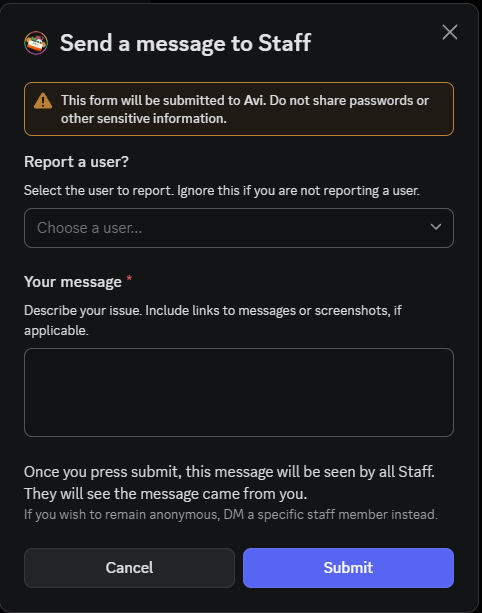
Report a user to Staff - works in every channel
/report and fill out the fields.
No one will be able to see that you reported someone except for yourself and the Staff.
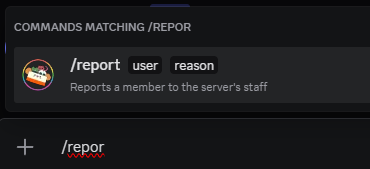
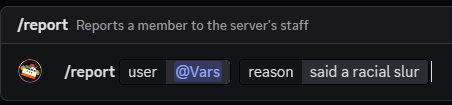
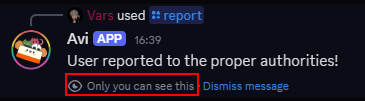
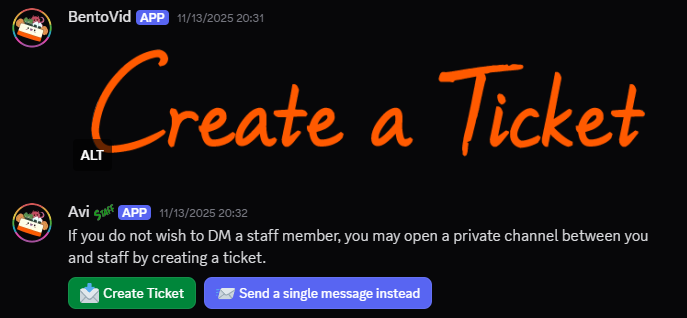
Alternatively, you can use the #contact-staff channel to open a ticket or send a single message to Staff.
Events
See the Events Guide on how to create events.
But here are some additional @Sesh bot commands.
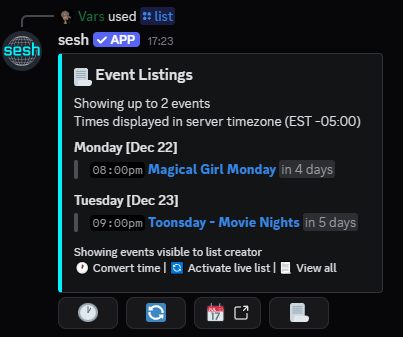
List events
/list will list all events or only some, given parameters. Results are public.
Only usable in #personal-testing and event-related channels.

Create a discord timestamp
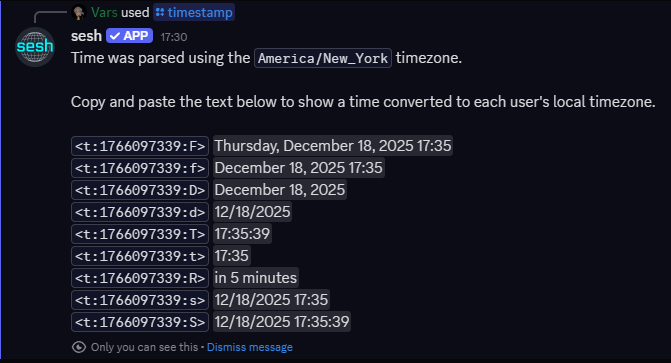
Convert a time into a timestamp that displays the time in each person's timezone.
On desktop, you can use Discord's built-in function @time. When that's not available, you can use the discord slash command equivalent of https://sesh.fyi/timestamp
/timestamp - usable in any channel.
It can be fuzzy like "in 5 minutes" or specific "8 august at 12pm". There are optional parameters to help create the perfect timestamp.
Only you can see the results unless you set "public" to "true."


Birthdays
If you want your birthday to appear in the #birthday-list, you must add an #introductions.
People on the birthday list will have their birthdays announced in #what-u-doing with a link to their intro.
You can make an introduction without adding your birthday.
Reminders
Reminding works in all channels. If you are not using the slash commands, please use #personal-testing as to not spam main channels.
Reminders Using Avi
Personal reminders using a time period
Text commands are public. Only you will see the slash commands.
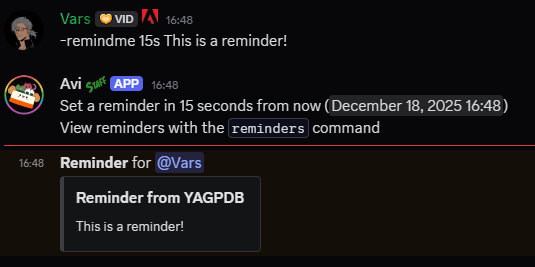
-remind <time> <message> or /remindme
You must have a message to set a reminder.
Usage is like -remind 5mo3w4d1h30m2s Am I still awake?
The above is 5 months, 3 weeks, 4 days, 1 hour, 30 minutes, and 2 seconds.
The abbreviations must be the same, but you do not have to provide all of them.
e.g. -remindme 3d will give you a reminder in 3 days.
When the time arrives, the bot will ping you with your message.
To manage your reminders:
-reminders or /reminders lists all your reminders.
-delreminder #### or /delreminder will delete a reminder. #### is the ID number listed next to the reminder in the reminders list.
Setting the a flag to true in the /delreminder version of the command will delete all of your reminders
Reminders Using Sesh
Public reminders using a specific time (Slash command only)
This command will post a public reminder that anyone can subscribe to.
Anyone who subscribed to the reminder will receive a DM with the title contents at the specified time.
datetime can either be a specific date like 5 october 5pm or a fuzzy date like in 10 minutes.
/remind title datetime
Examples:
/remind brush your teeth in 10 minutes
/remind contest deadline 5 march 11am

This shows publicly:
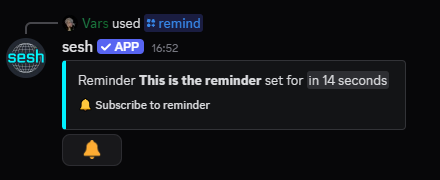
This shows in your DMs:
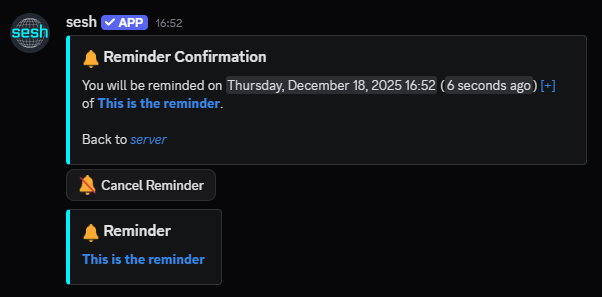
Tag System
Tags are pre-formatted messages you can call with simple commands so you don't have to type similar answers every time.
Anyone can create and call tags. Tag authors can edit and delete their own tags. People with the @Tag Wrangler role can manage all tags, regardless of author. Ask @Staff for the role if you want it.
You can call a tag in any channel by ;TagAliasHere
Learn about the tag system
Go to the #tags channel or type ;tags in #personal-testing
List all tags
Go to the #tags channel or type ;list or ;taglist
Get Tag Info
Useful if you want to get the raw markdown content of a tag. Anyone can use this in #personal-testing.
-taginfo messageURL where the URL is any tag message link
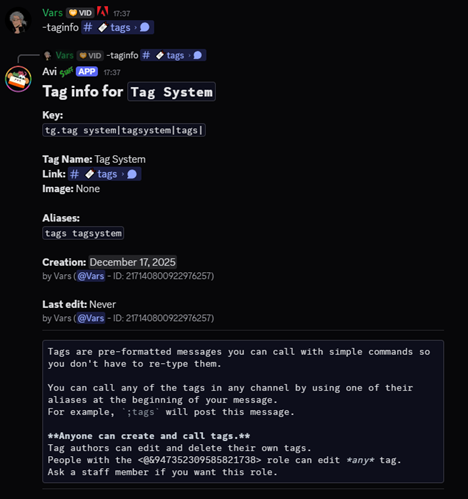
Change Tag Author
If you want to give the authorship of your tag to someone else. Only usable by the current author of the tag, @Tag Wrangler, and @Staff.
-tagauthor messageURL @NewAuthor where the URL is any tag message and the NewAuthor is either a user mention or user ID.
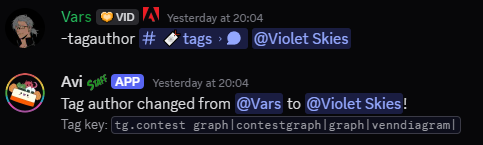
Bookmarks
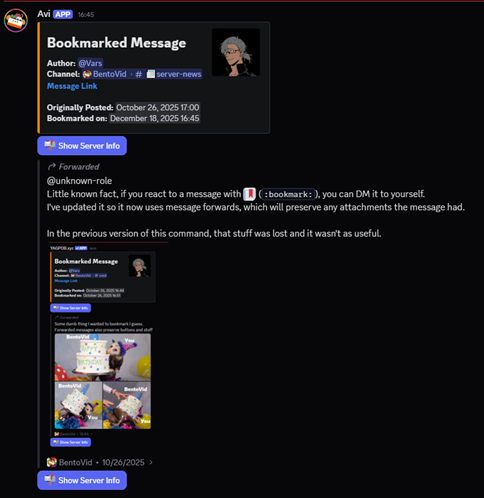
Forwards a message to your DMs. Use it in any channel. Your bot command is deleted approximately 5 seconds after the DM is sent.
-bookmark MessageURL
e.g. -bookmark https://discord.com/channels/750541618389712896/947229226220789811/947265414449221642
Alternatively, simply react to messages with the 🔖 (:bookmark:) emoji.
Threads
You can manage any threads you create
The below message is called the Thread OP Controls message.
It is posted when you create a new thread.
You can delete it by reacting to it with 🗑️ (:wastebasket:) or post it again using the text command -tinfo.
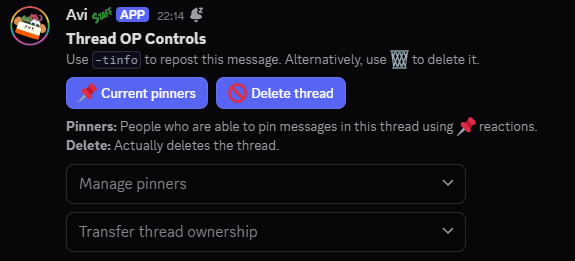
1. Add "pinners" (other people who can manage pins in your thread too)
Thread OPs and @Staff can use the "manage pinners" dropdown menu on the Thread OP Controls message to add or remove pinners.
New pinners will appear in "Current pinners" list when that button is pressed.
The thread OP is always a Pinner.
2. Add/Remove pins with 📌 (:pushpin:)
Pinners and @Staff can:
- react to add the pin
- unreact to remove the pin
3. Delete thread
Completely delete the thread.
4. Transfer thread ownership
Give someone else the ability to add/remove pinners or delete the thread.
You will never lose permissions to use the Thread OP Controls message, but only one other person can share those permissions with you (aside from @Staff).
Trivia
Please only use this in #personal-testing.
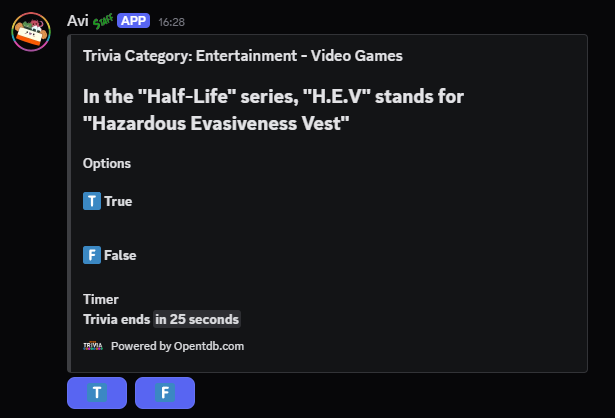
-trivia or /trivia start will ask a trivia question
There are optional parameters for the difficulty - "none" (any difficulty), "easy," "medium," and "hard."
The question is public and anyone can respond to it. You have 30 seconds to answer.
Trivia Leaderboard
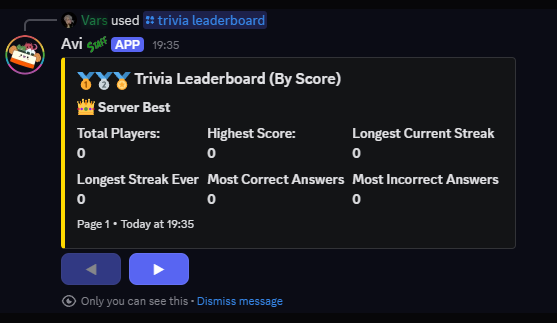
Trivia has a leaderboard with scoring.
A correct answer gains points, while an incorrect answer loses them. The amount of points is based on the difficulty of the question.
You can attain "streaks" - consecutive correct answers - and the leaderboard will also tell you your "max streak."
If a user is inactive for more than 7 days, they are removed from the leaderboard.
The slash commands will return an ephemeral message only you can see. There are text commands for all the commands listed below, but their responses are public.
/trivia leaderboard - shows the leaderboard for the server
The board can be sorted score, streak, or max streak, but the default is score.
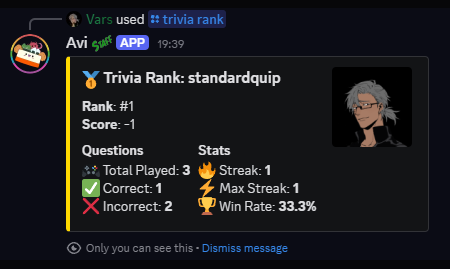
/trivia rank - shows a specific user's trivia rank
Defaults to yourself if no user specified.
Avi Control
Reacting to Avi bot messages with a 🗑️ (:wastebasket:) will delete the message in many cases.
This only works in a few channels.
If nothing happens: this channel is exempt from Avi control.
If your reaction is removed: You cannot remove that specific type of message.
If you see an hourglass (⌛) before your reaction disappears, it means the message is too old to delete this way.
Miscellaneous
Text commands are public. Only you can see Slash commands.
Calculator
/calc or -calc to use a calculator
e.g. -calc 2+2
Rolling dice
/roll or -roll
It will roll a 6 sided die by default. If you want anything else, you must specify.
e.g. -roll 2d6
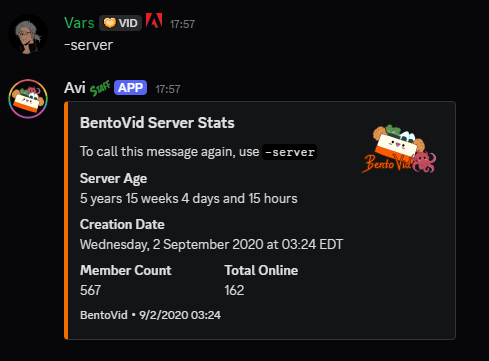
Server stats
Use -server to see some server stats.
Starboard
React to any message with ⭐ (:star:). When any post has 5+ reactions of this type, it will be reposted to the #starboard channel.